
Summer Application Preview
A guide to submitting your summer pre-college application
Thank you for your interest in applying to one of our summer pre-college programs. Our pre-college application process includes many of the same elements as an application for undergraduate studies, so it's a great way to gain valuable skills and knowledge.
This web page tutorial was created to help guide you through account creation and application submission. It can be a useful tool before and during the summer pre-college application process and takes about 15 minutes to review.
This guide is for applying to our summer pre-college programs which include:
- High School Summer Scholars Program
- Creative Immersion Institute
- Environmental Studies Institute
- Research Development Institute
- Ancient Studies Institute
- Advanced Inquiry Institute
- High School Summer Launch
If you are registering for any other of our programs, you will want to visit those respective web pages for information about applying.
Before You Start Your Application
- Check the eligibility criteria for the program to which you are applying. Be sure you meet any specific criteria.
- You may only apply to ONE program. Be sure you are choosing the program that aligns with your academic goals and fits your summer schedule.
- Gather contact information for your teacher recommendation. You'll need their name (first and last), email, and phone number. You'll also be prompted to enter an organization for your teacher. Remember: you only need to submit ONE teacher recommendation. We do not accept multiple teacher recommendations for an applicant. The teacher needs to be an academic subject teacher (i.e. math, science, social science, English, etc) and should not be a school counselor, mentor, or coach.
- Obtain an unofficial copy of your school transcript. The unofficial copy needs to include your name, birth date, high school name, and all high school courses enrolled and grades earned to date.
- We do not accept standardized test scores so you do not need to obtain copies of those. We also do not accept resumes.
- We strongly encourage you to use a non-school email account like a Gmail, Hotmail, or Yahoo. We find that school email addresses sometimes have communication settings that block messages sent from outside the high school. It also should be your email address, not a parent/guardian's email.
- International applicants for whom English is a second language should provide documentation of their ability to complete coursework in English by providing an official test score report as part of the program application process. Be sure that you have a copy of your score report to upload with your application. Additional details for international applicants is available here.
If at any point you have questions, you may contact us at precollege@wustl.edu.
Creating an Account
We use Slate by Technolutions for our application. To begin the application you'll need to create an account. When you click on the application link on a program web page, you'll see this screen:
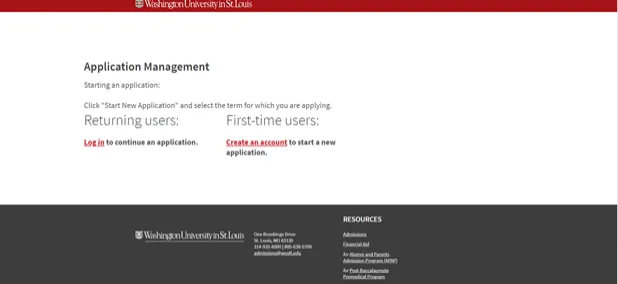
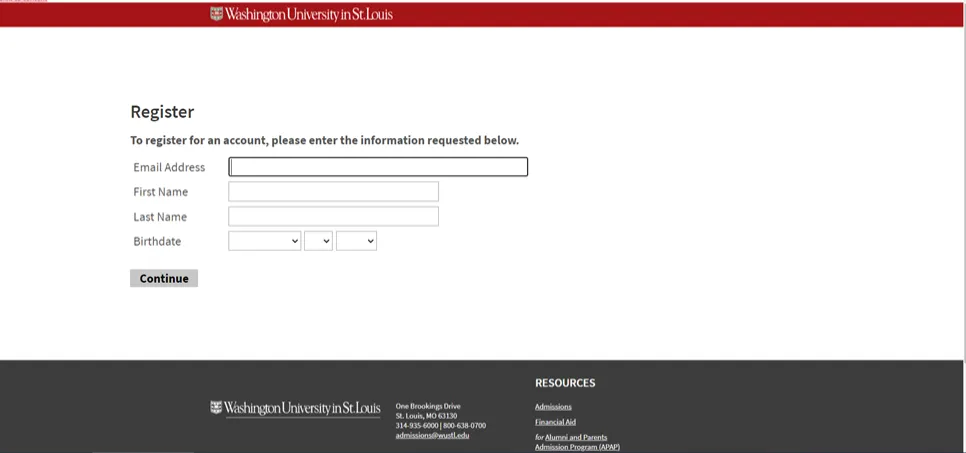
You'll select "Create an Account" and then be prompted to provide your email address, first name, last name, and birthdate. Enter this information then select "Continue."
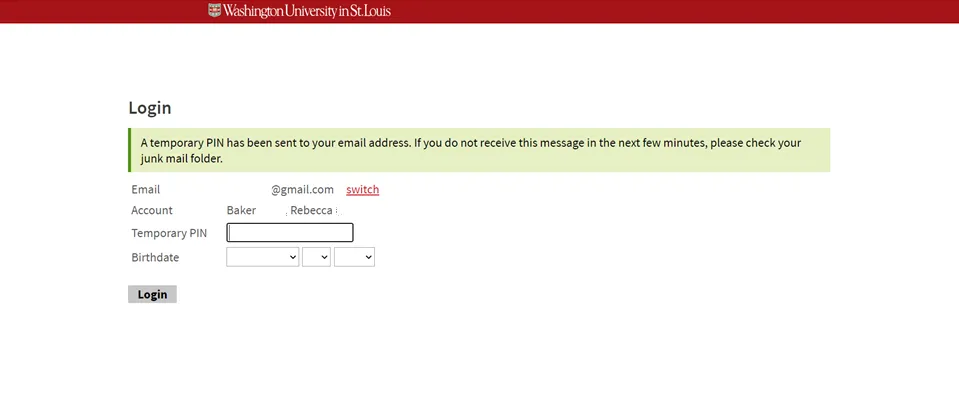
You will receive an email with a temporary PIN which you will use to verify your email address. You'll enter that PIN and reenter your birthdate and select "Login."
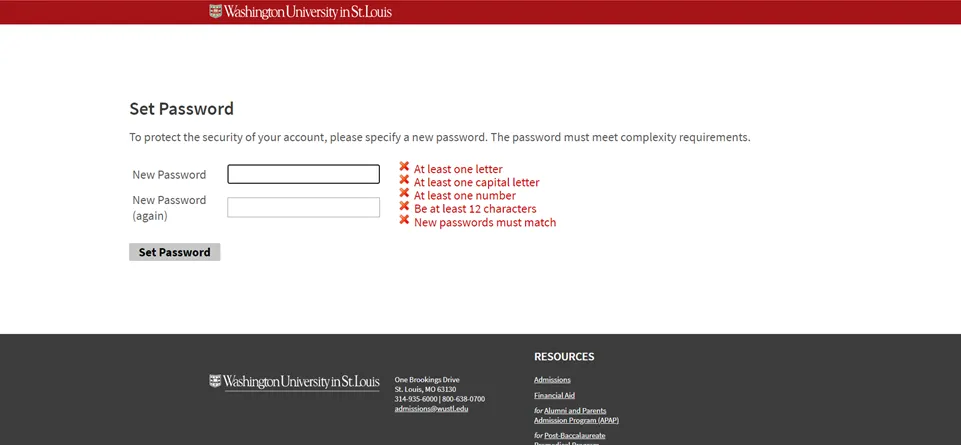
Then you'll be prompted to create a password using the criteria provided. Be sure you save your password for future use. Click "Set Password."
You've now successfully created an account! You'll receive an email notification that your account has been successfully created.
Start Your Application
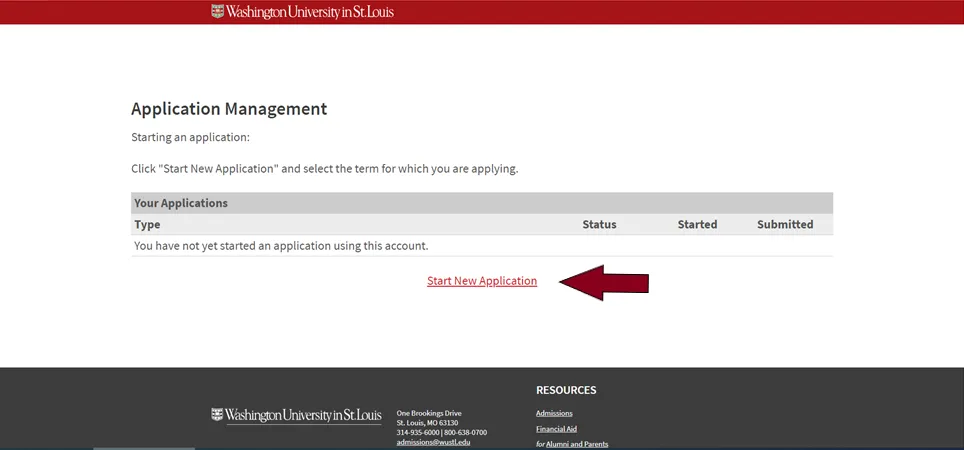
Once your account is created you'll start your application. While logged into your account, you'll select "Start a New Application."
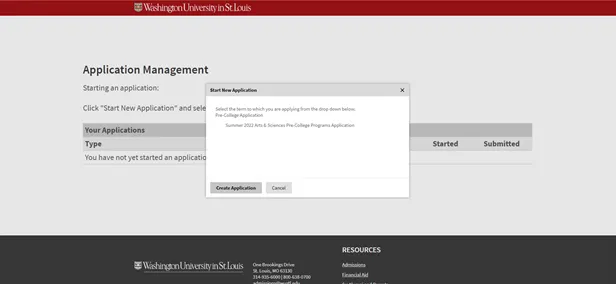
A text box will open that indicates the summer application available. Select that application and then Click "Create Application."
Another text box will open which will include the date and your status of "In Progress." Click "Open Application."
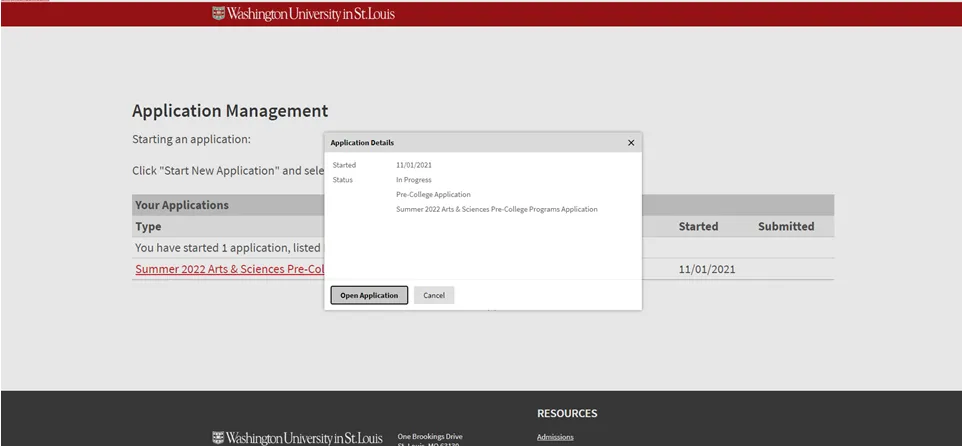
Now you are ready to start entering your information into your application.
Entering Information Into Your Application
The application contains several sections:
- Personal Information
- Personal Information Continued
- Citizenship
- Family Information
- Academic History
- Program/Essays
- Recommender Request
- Fee Waiver and Scholarship Assistance
- Student Conduct
- Signature
- Review
You will start with "Personal Information" and click through each section by choosing "Continue" at the bottom of each page. Your application will automatically save as you enter information.
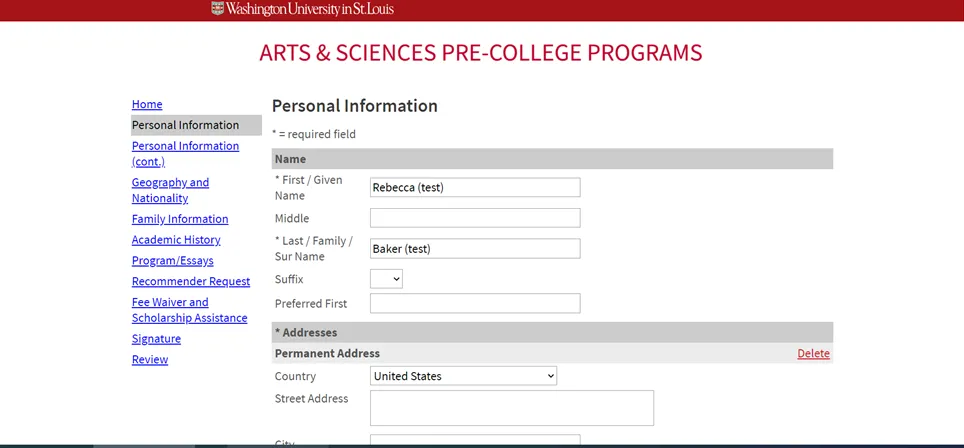
Take your time and read the questions and prompts very carefully. Depending upon your response to some questions, you may be prompted to provide additional information.
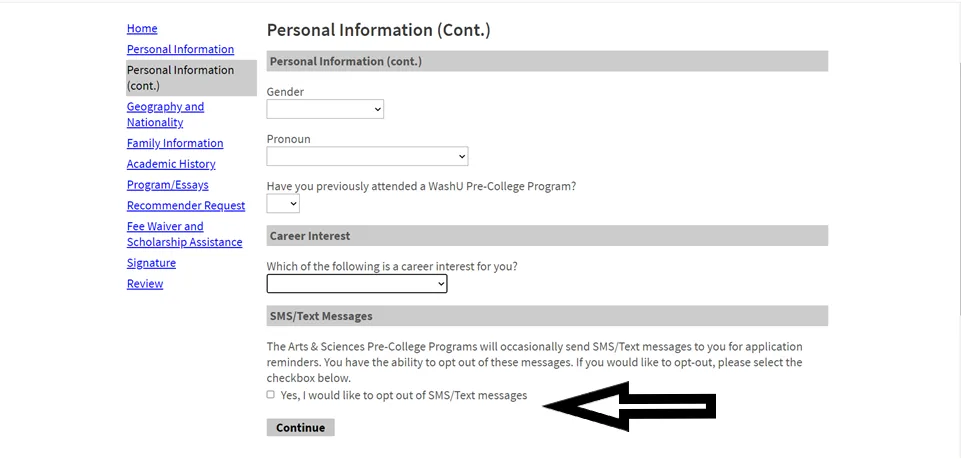
We will occasionally send SMS/Text messages to you for application reminders. You have the ability to opt out of those text messages by selecting the box in the "Personal Information (Continued)" section. Leave the box unchecked if you want to receive text message reminders.
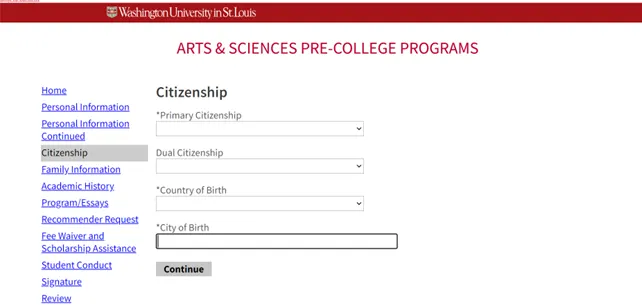
For the "Citizenship" section, you will provide details about your citizenship.
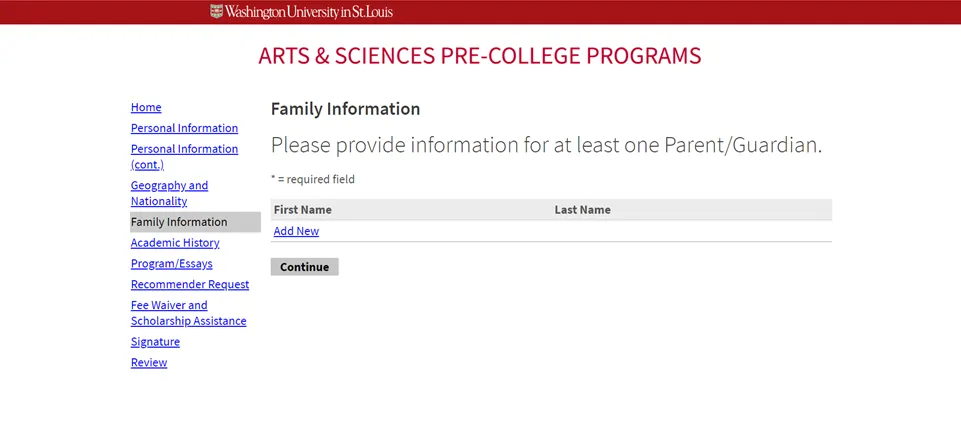
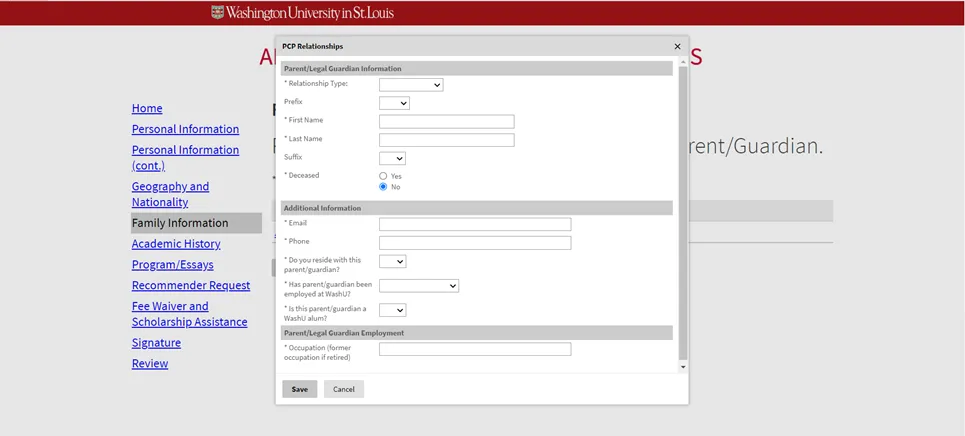
For the "Family Information" section we require you submit information for at least one custodial parent/legal guardian. Click "Add New" and a text box will appear to add parent/guardian information. Enter the required information and click "Save." You can add multiple parent/guardians.
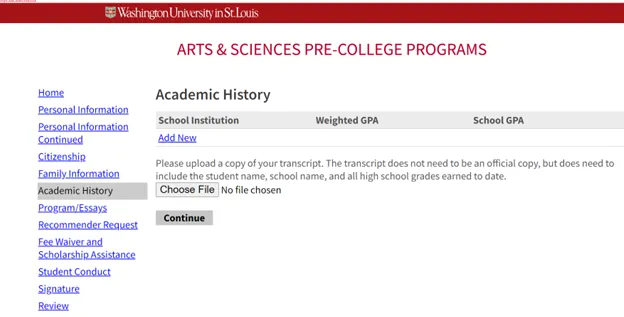
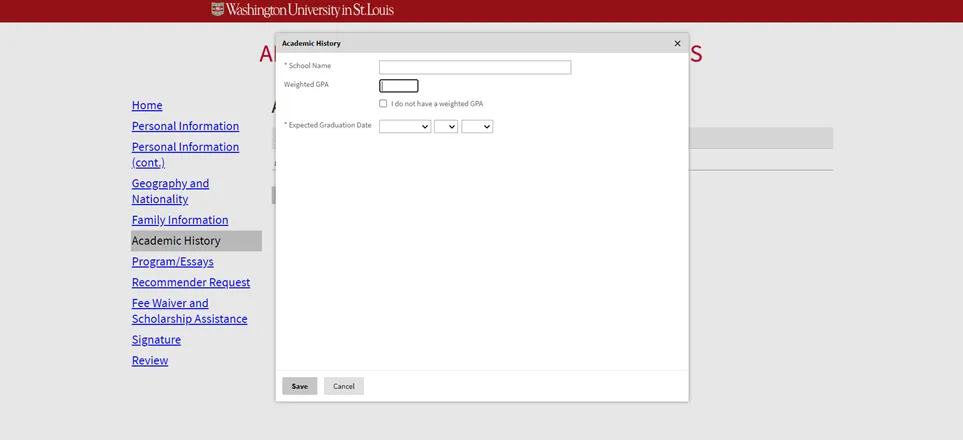
The "Academic History" section is where you will add your high school information. You will select "Add New" and then complete the required questions and click "Save." Please only provide current high school information. You will also upload a copy of your transcript here.
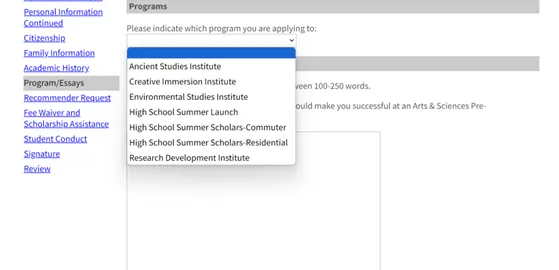
Next you will select your program and submit your essays in the "Program/Essay" section. Choose the program you are applying for from the drop down menu.
Your program selection will then add your required essay questions to your application. Every applicant must write a response to the prompt "What traits or abilities do you possess that would make you successful at an Arts & Sciences Pre-College Program?" You will also receive a custom question based on your program selection:
- High School Summer Scholars Program: Which aspects of the Arts & Sciences curriculum prompted your application? If you have a particular course you are interested in enrolling, tell us more about your interest in this specific course.
- High School Summer Launch: What excites you most about experiencing college academics and campus life, and how do you hope this program will prepare you for your future educational journey?
- Creative Immersion Institute: What extracurricular activity, interest, or hobby has best prepared you for participation in the Creative Immersion Institute?
- Environmental Studies Institute:What environmental topics are you most excited to explore, and what questions or challenges inspire your curiosity? Share any experiences or coursework that have drawn you to this field.
- Research Development Institute: What aspects of the research process are you most curious about, and what specific questions do you hope to explore in our program? Share any experiences or coursework that have sparked your interest in scholarly research.
- Ancient Studies Institute: What excites you most about exploring ancient civilizations, and what specific aspects or discoveries are you eager to dive into? Share any experiences, coursework, or personal interests that have sparked your fascination with the ancient world.
- Advanced Inquiry Institute: Describe the specific area of study you are most passionate about and share any independent research, coursework, or experiences that have prepared you for advanced inquiry in this field. What unique questions or challenges drive your curiosity, and how do you hope to explore them further through our program?
A third essay prompt is also available for applicants to respond: Share any personal experiences or thoughts that motivate you to join this program and explain how you think it will help you grow both academically and personally. This is an optional essay.
Each of your essays must be at least 100 words and no more than 250. Word counters are provided.
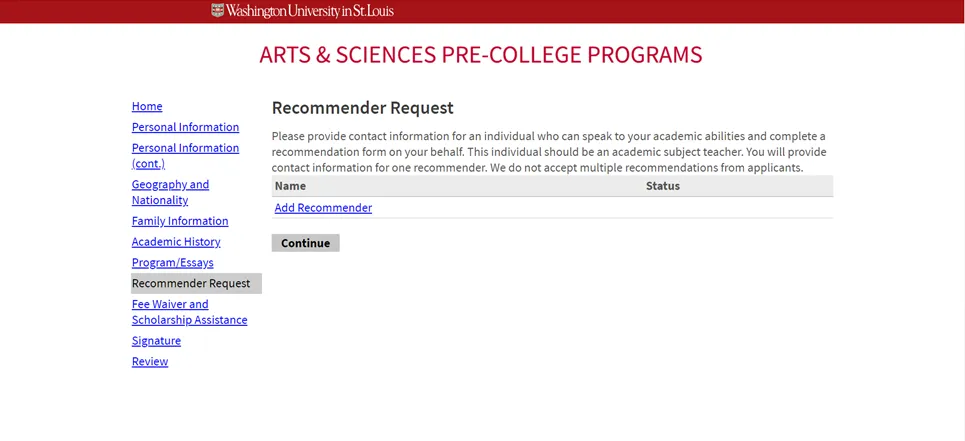
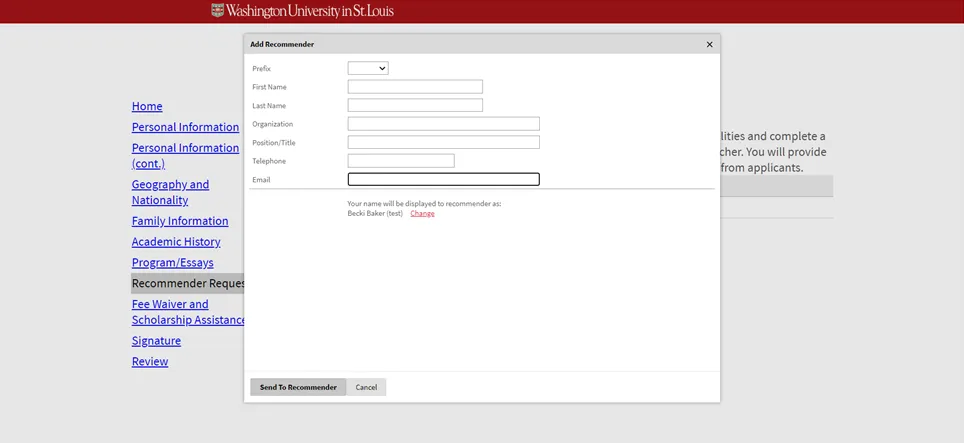
Next you will enter your recommender's information in the "Recommender Request" section. Click "Add New" and you'll receive a text box to submit your recommender's information. Click "Send to Recommender" when finished. Please only add information for ONE recommender. We will not review multiple recommendations for an applicant. Your recommender will automatically receive an email once you click "Send to Recommender." Even if you aren't ready to submit the rest of your application, we recommend entering your recommender information as soon as possible to give your recommender enough time to complete the recommendation form.
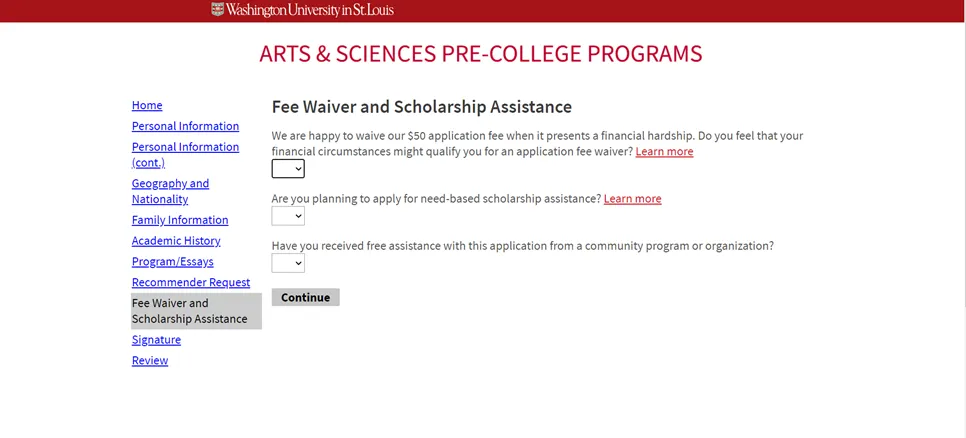
The next section is "Fee Waiver and Scholarship Assistance." You can use the "Learn More" links to learn more about fee waiver eligibility and scholarship assistance. Please provide responses to these questions and the click "Continue." If you respond "Yes" that you are submitting a scholarship application, this will be automatically added to your portal (more on your portal in a moment).
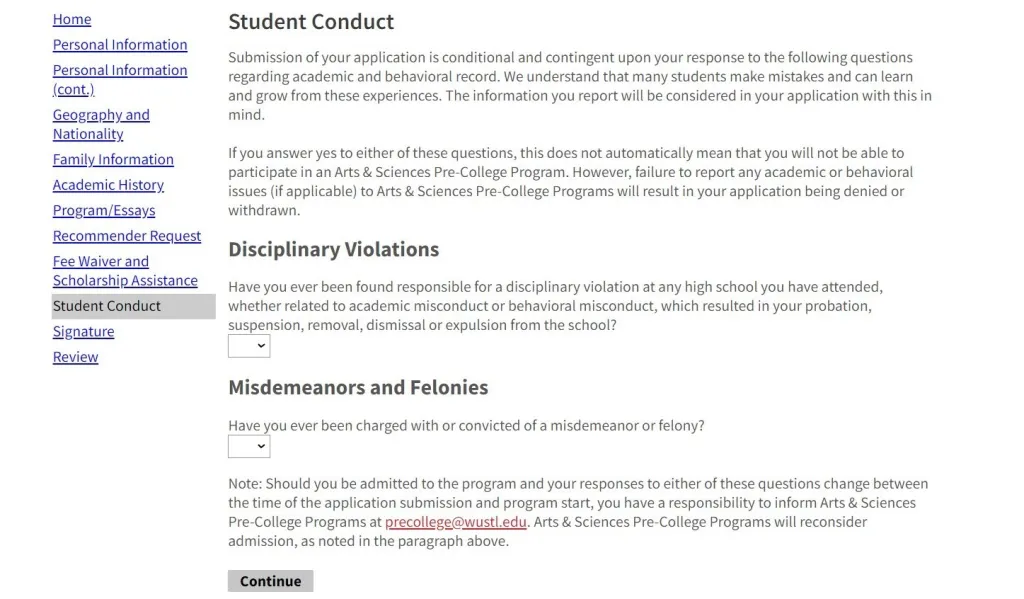
The next section is the "Student Conduct" section. In this section you will provide responses to questions related to your academic and behavioral record. We understand that many students make mistakes and can learn and grow from these experiences. If you answer yes to either of these questions, this does not automatically mean that you will not be able to participate in an Arts & Sciences Pre-College Program. If you do respond yes, you will be asked to provide dates of the incident(s) and explain the circumstances. Please provide responses to these questions and the click "Continue."
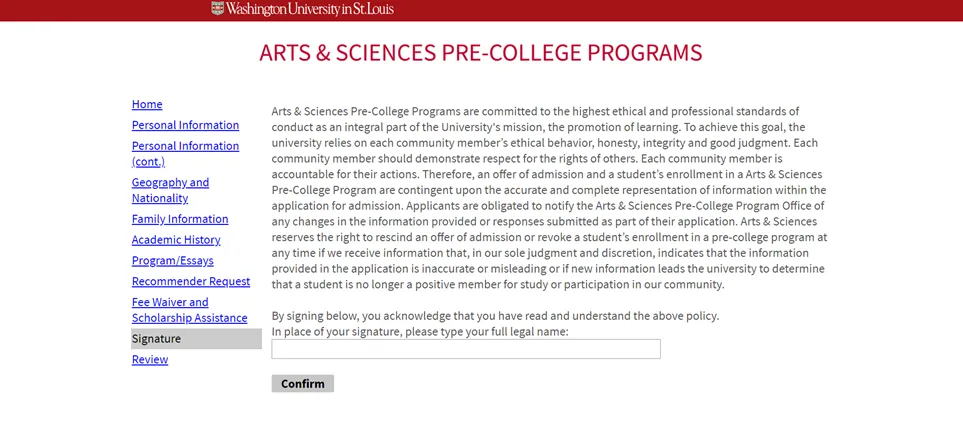
Now you have finished entering your information! You will be sent to a "Signature" page where you will enter your name in the box agreeing to the application clause. You'll then select "Confirm."
The final step is to "Review" your application. If you've forgotten any required information it will show up on this section of the application, and you can go back to complete the missing items. You can also click "Save for Later."
When you are ready you'll click "Submit Application." Once you click "Submit Application," you may not make any changes to your application, so be 100% certain you are ready to submit when you click this button.
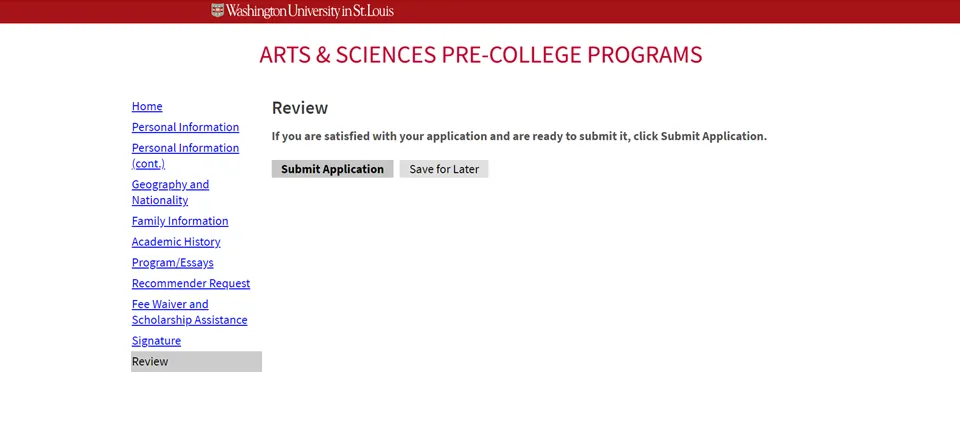
You did it! Nice work submitting your application. Now it's time for the next steps!
Submitting Your Supplemental Information
Once you click "Submit Application" you will be redirected to your portal. This portal is where you will see the checklist of items needed to complete the review of your application. You will submit your application fee through your portal and you can check the status of your teacher recommendation. For international applicants, you can upload your English proficiency documentation through your portal. All supplemental information needs to be submitted by the stated application deadline.
If you indicated an interest in scholarship assistance, the application will be linked in your portal. In order to be considered for a scholarship this application including income documentation must be submitted by the application deadline.
You will receive an email once you submit your application that will provide you a link to access the portal. Be sure to keep this email for future reference.
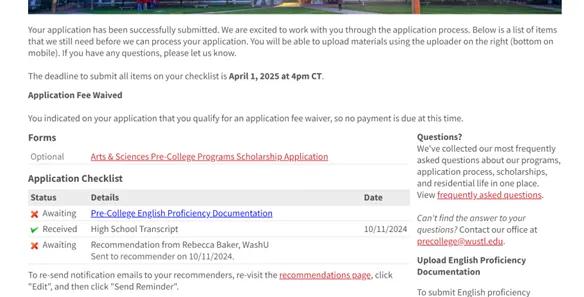
We will send a few email and text reminders after you submit your application about any missing supplemental materials, but it is your responsibility to check your portal for completion.
Notification of Admission
You'll receive an email once your admission decision has been posted in your portal (Subject: Update available for your pre-college application). Click on the email link to log into your portal, select your application, and view your admission decision. If admitted, you'll then receive directions on confirming enrollment, paying your deposit, and submitting registration forms.
